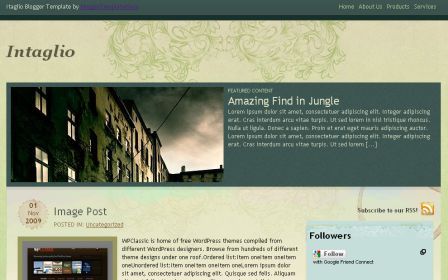
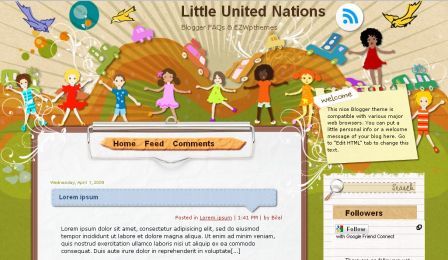
DescriptionGirly Magazine Blogger template, my new free blogger template. Its unique header, combination of girl vector image (created by
ipietoon) and pattern, become a main attractive section. This template designed multi column, and multi navigation menu, accomodate many categories, suitable for online shopping blog, cosmetic blog, and everything about girl or woman blog.
Installation SettingInstall Template- Download xml file, click on download link
- Save to your desktop
- Go to blogger dashboard, open Edit HTML, click on upload and choose your downloaded xml file
- Save
Top Navigation MenuOpen
Edit HTML, edit these code below
<div class='topnav'>
<ul id='topnav'>
<li><a expr:href='data:blog.homepageUrl'>Home</a></li>
<li><a href='http://www.bietemplates.com/' target='_blank'>
Template Gallery</a></li>
<li><a href='http://dezigntuts.com' target='_blank'>Dezigntuts</a></li>
<li><a href='http://www.emocutez.com' target='_blank'>Emoticon</a></li>
<li><a href='http://blogger.com' target='_blank'>Login</a></li>
</ul>
</div>
Header LogoIf you want to set your own logo follow these instruction
- create your logo image using image editor, size max width 400px height 100px
- upload it through Page Element
- click Edit on Header widget
- upload your image, choose instead of tittle and description
- save
If you just want to edit that girl image, access
.headerleft {
background:url(
https://blogger.googleusercontent.com/img/b/R29vZ2xl/AVvXsEhOqkje-tXGLhusa3NtX4wXM2Tn4EfsjKUgJE7cQ-tn3CAB5s5JmQ6Knsn-svgIWxHfUFL2nakhUzw0NUsyBK0p-d1ysF87pV0P1aiNEsoQ7Dg0cg_ta4H3gIDUlmT9d2yoaZQwQtIIgeQ/s1600/girlmagz.png) no-repeat left bottom;
width: 480px;
height:250px;
float: left;
margin: 0;
padding: 0;
}
Change
red text color to your URL image
Second Navigation MenuOpen Edit HTML, edit these code below
<div id='navbarmenu'>
<ul id='nav'>
<li><a href='http://your-link-here'>Photoshop</a></li>
<li>
<a href='http://your-link-here'>Freebies</a>
<ul>
<li>
<a href='http://your-link-here'>Icon</a>
<ul>
<li><a href='http://your-link-here'>Icon #1</a></li>
<li><a href='http://your-link-here'>Icon #2</a></li>
<li><a href='http://your-link-here'>Icon #3</a></li>
</ul>
</li>
<li><a href='http://your-link-here'>Pattern</a></li>
<li><a href='http://your-link-here'>Brush</a></li>
<li><a href='http://your-link-here'>Swirl</a></li>
</ul>
</li>
<li><a href='http://your-link-here'>Vector</a></li>
<li><a href='http://your-link-here'>Sketch</a></li>
<li><a href='http://your-link-here'>Wallpaper</a></li>
<li><a href='http://your-link-here'>Theme</a></li>
<li><a href='http://your-link-here'>Layout</a></li>
<li><a href='http://your-link-here'>Inkscape</a></li>
<li><a href='http://your-link-here'>Graphic</a></li>
<li><a href='http://your-link-here'>CSS</a></li>
<li><a href='http://your-link-here'>Community</a></li>
<li><a href='http://your-link-here'>Submit</a></li>
</ul>
</div>
Twitter Update FeaturedYou can put your twitter update on this template. Open
Edit HTML. Tick mark on
Expand Widget Template. Find these code below
<h2 class='sidebar-title' style='display:none;'>Twitter Updates</h2>
<ul id='twitter_update_list'/>
<a href='http://twitter.com/
bietemplates' id='twitter-link' style='display:block;text-align:right;'><img src='https://blogger.googleusercontent.com/img/b/R29vZ2xl/AVvXsEh05uNDwGbIPA2lO1NsIm82z8tv_HAg8pnUTodhVtur4kWtXqxen5rcM-fLfXE237OYF1jxfxH6g-Uw0suhCUR14tcZBAYLVqkLD1tANXWWOhGQ_BpzjcRGgYRaRtuyOPizkqSgtdiERYTi/s1600/twitter.png'/></a>
</div>
<script src='http://twitter.com/javascripts/blogger.js' type='text/javascript'/>
<script src='http://twitter.com/statuses/user_timeline/
bietemplates.json?callback=twitterCallback2&count=1' type='text/javascript'/>
Change
red text to your
twitter usernameAdvertisement Banner 125x125Open
Edit HTML. Tick mark on
Expand Widget Template. Find these code below
<a class='ad1' href='#'><img src='https://blogger.googleusercontent.com/img/b/R29vZ2xl/AVvXsEggdWeouRGin-4DJnN6zflQ7iX8wrMvSESdmMuw7i3bEq1PMrrVfiwGAR4mSM7ZXacm4SpBHfD5mOJ6W1zW4OJn0IvGuCG-A8_GbbAsEvRtPMXFEuYcW9sv7_Ns7ocfW_ZnLIV73bByJCXW/s1600/themeforest.jpg'/></a>
<!-- Ad2 start -->
<a class='ad2' href='#'><img src='https://blogger.googleusercontent.com/img/b/R29vZ2xl/AVvXsEggdWeouRGin-4DJnN6zflQ7iX8wrMvSESdmMuw7i3bEq1PMrrVfiwGAR4mSM7ZXacm4SpBHfD5mOJ6W1zW4OJn0IvGuCG-A8_GbbAsEvRtPMXFEuYcW9sv7_Ns7ocfW_ZnLIV73bByJCXW/s1600/themeforest.jpg'/></a>
<!-- Ad3 start -->
<a class='ad3' href='#'><img src='https://blogger.googleusercontent.com/img/b/R29vZ2xl/AVvXsEggdWeouRGin-4DJnN6zflQ7iX8wrMvSESdmMuw7i3bEq1PMrrVfiwGAR4mSM7ZXacm4SpBHfD5mOJ6W1zW4OJn0IvGuCG-A8_GbbAsEvRtPMXFEuYcW9sv7_Ns7ocfW_ZnLIV73bByJCXW/s1600/themeforest.jpg'/></a>
<!-- Ad4 start -->
<a class='ad4' href='#'><img src='https://blogger.googleusercontent.com/img/b/R29vZ2xl/AVvXsEggdWeouRGin-4DJnN6zflQ7iX8wrMvSESdmMuw7i3bEq1PMrrVfiwGAR4mSM7ZXacm4SpBHfD5mOJ6W1zW4OJn0IvGuCG-A8_GbbAsEvRtPMXFEuYcW9sv7_Ns7ocfW_ZnLIV73bByJCXW/s1600/themeforest.jpg'/></a>
Change '#' to your targetted URL
Change
https://blogger.googleusercontent.com/img/b/R29vZ2xl/AVvXsEggdWeouRGin-4DJnN6zflQ7iX8wrMvSESdmMuw7i3bEq1PMrrVfiwGAR4mSM7ZXacm4SpBHfD5mOJ6W1zW4OJn0IvGuCG-A8_GbbAsEvRtPMXFEuYcW9sv7_Ns7ocfW_ZnLIV73bByJCXW/s1600/themeforest.jpg to your image URL